Introduction – Equipments and tools
The Equipments module groups the management of equipments and tools used in the manufacturing process. It allows you to track their maintenance, usage and performance.
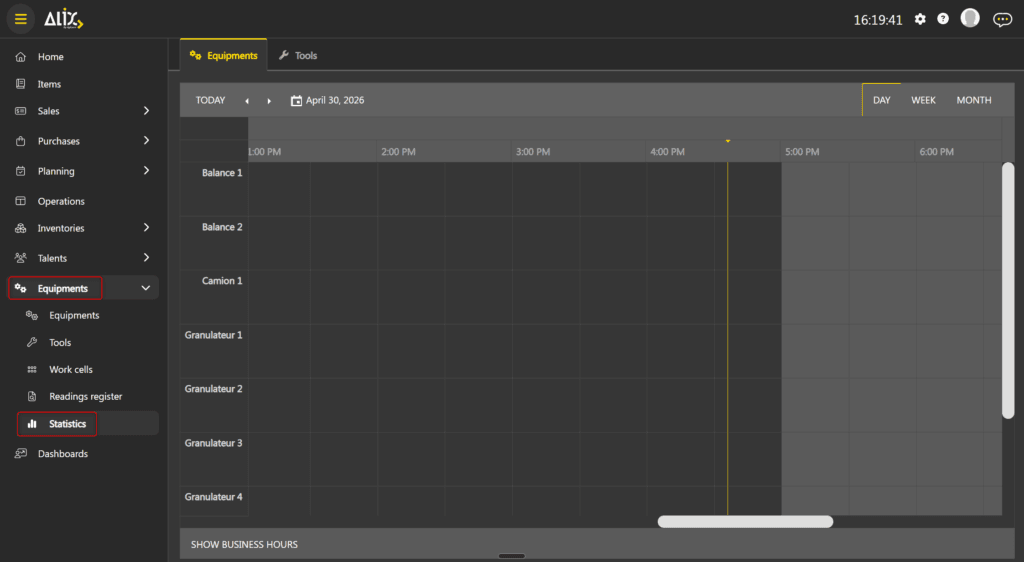
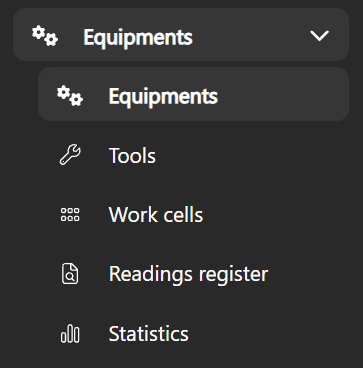
The module is accessible via the Equipments menu in the navigation bar. It contains the following submenus:
- Equipments — management of equipments (machines, stations, scales, etc.).
- Tools — management of tools linked to inventories, with lifecycle tracking. See the Tools.
- Work cells — grouping of equipments by workstation.
- Readings register — IIoT readings history.
- Statistics — maintenance calendar for equipments and tools.
The main distinction between an equipment and a tool is the following:
- An equipment is created independently. It represents a machine or device used in production.
- A tool is linked to an inventory and to a tool type item. It has full lifecycle tracking: usage counters, maintenance and active/inactive status. For more details, see the Tools.
Equipments
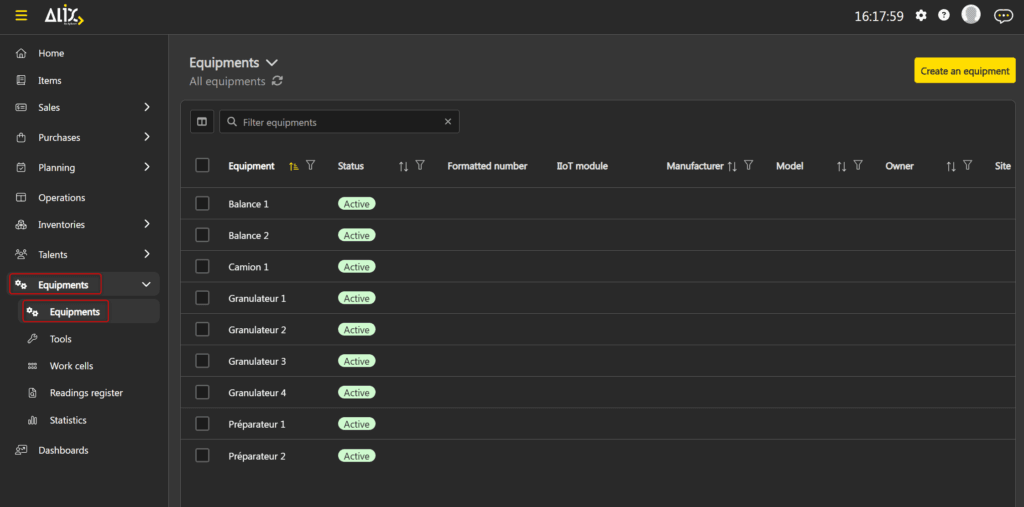
The Equipments page displays the list of all equipments in a grid. The grid allows filtering, sorting and searching.
Create an equipment
To create an equipment, click Create an equipment in the top right of the grid. The equipment form opens directly.
Equipment form
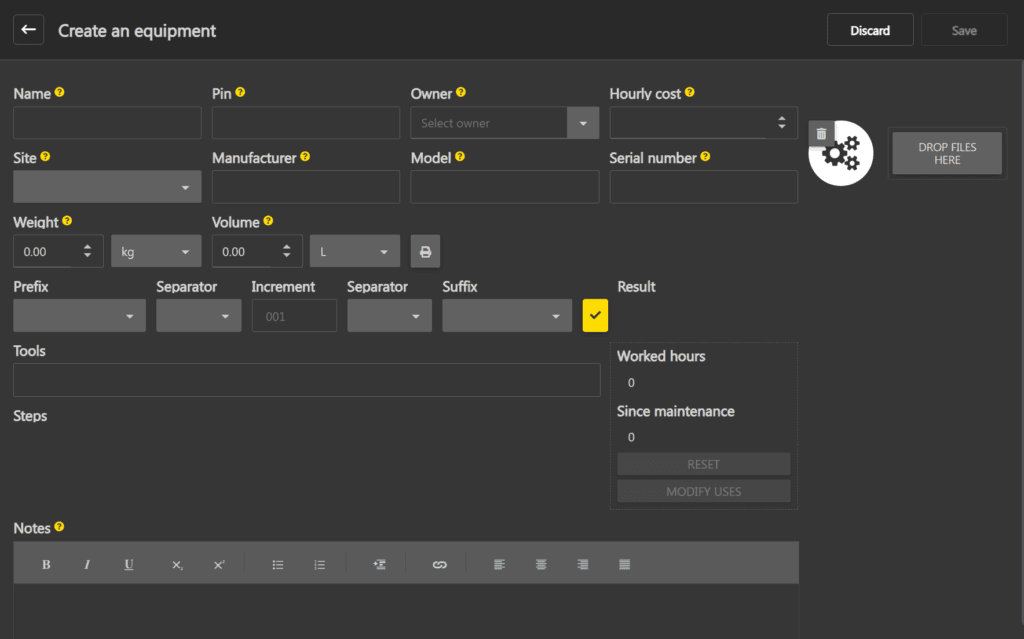
The equipment form contains two tabs: Overview and History. The overview groups the equipment fields, the number generator, maintenance counters and associations.
The main fields are:
- Name, Pin, Owner, Hourly cost — basic information.
- Site, Manufacturer, Model, Serial number — physical identification.
- Weight, Volume — dimensions.
- IIoT module — association to an IIoT module.
- Tools — tools associated with this equipment.
- Steps — production steps associated with this equipment.
- Notes — rich text field for internal notes.
Number generator
The form contains a number generator that composes an identifier from a prefix, a separator, an increment, a second separator (optional) and a suffix (optional). The Result field displays a preview of the generated number. Click the checkmark to preview the result.
Counters and maintenance
Each equipment has two counters:
- Hours worked: total number of hours worked since the equipment was created.
- Since maintenance: number of hours worked since the last maintenance.
The Reset button performs a maintenance: it resets the Since maintenance counter to zero. The Modify uses button allows you to manually adjust the counters.
Status and availability
An equipment can be Active or Inactive, and Available or not. These indicators are visible in the form header.
Statistics
The Statistics page displays a maintenance calendar as a scheduler. Two tabs are available: Equipments and Tools. Each tab displays the working hours of equipments or tools on a timeline.
The scheduler offers three views: Day, Week and Month. The Show working hours button allows you to show or hide working hours on the calendar.