- In Settings, go to the Settings section, then Value streams.
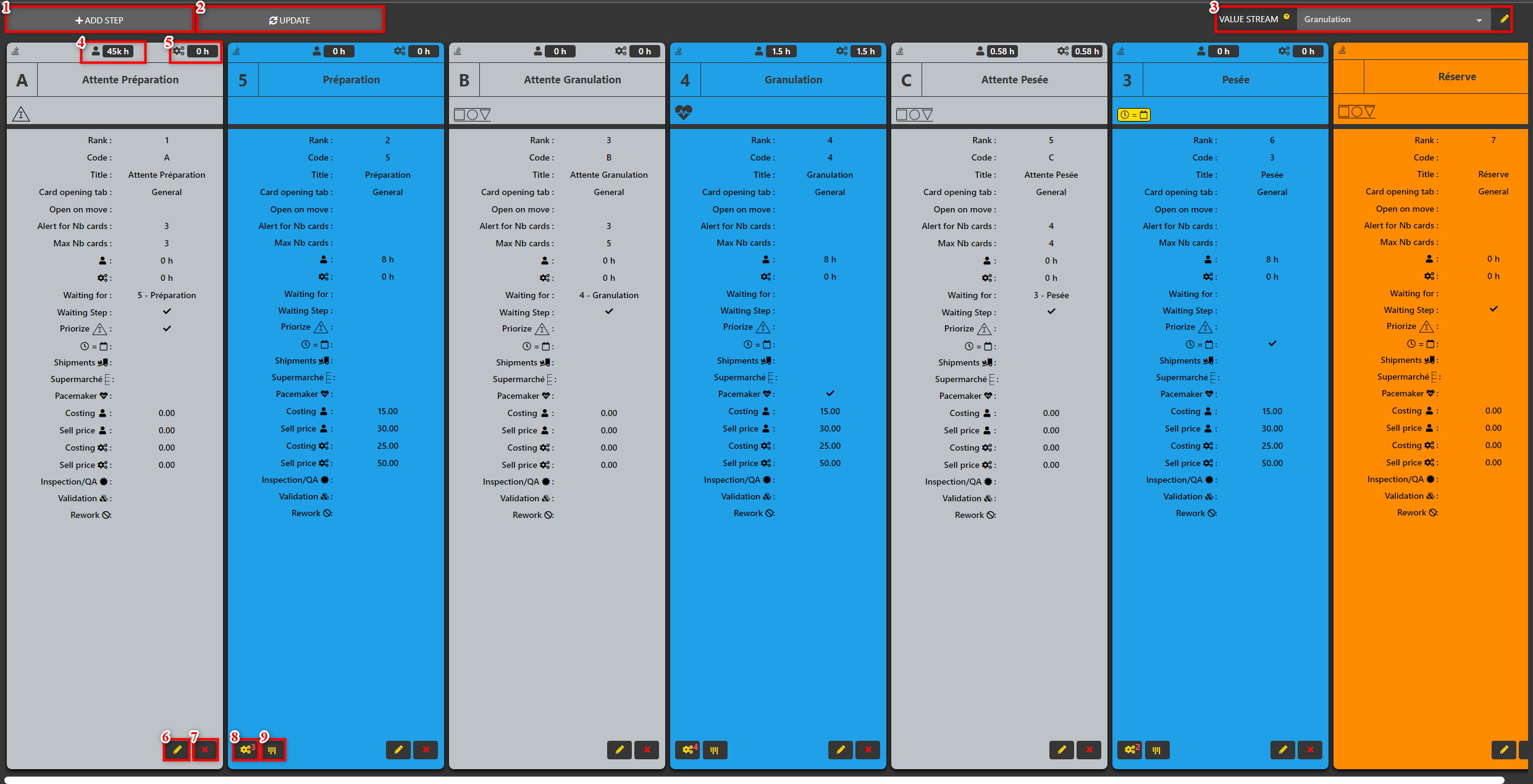
- The value stream screen contains several elements:
- Adds a step to the value stream.
- Replaces the value stream currently in production with the current one. Use after making the changes.
- Lists the different value streams of the organization.
- Displays the labor time of the step.
- Displays the equipment time of the step.
- Unlocks the step change.
- Deletes the step.
- Allows the configuration of the equipment of the step.
- Allows you to configure the visibility of the steps.