Pick inventory by scanning
-> Some feature coming soon
From a shipment window, you can scan tags with a scan reader to pick inventory in bursts. Scans follow one another without waiting for each one to be confirmed before moving to the next.
This is an alternative to manual picking (checkmark, Pick all) described in Ship inventory.
Scan tags
- In the menu on the left, choose Inventories -> Shipments.
- Click the desired shipment. The shipment window opens.
- Open the Pick list tab.
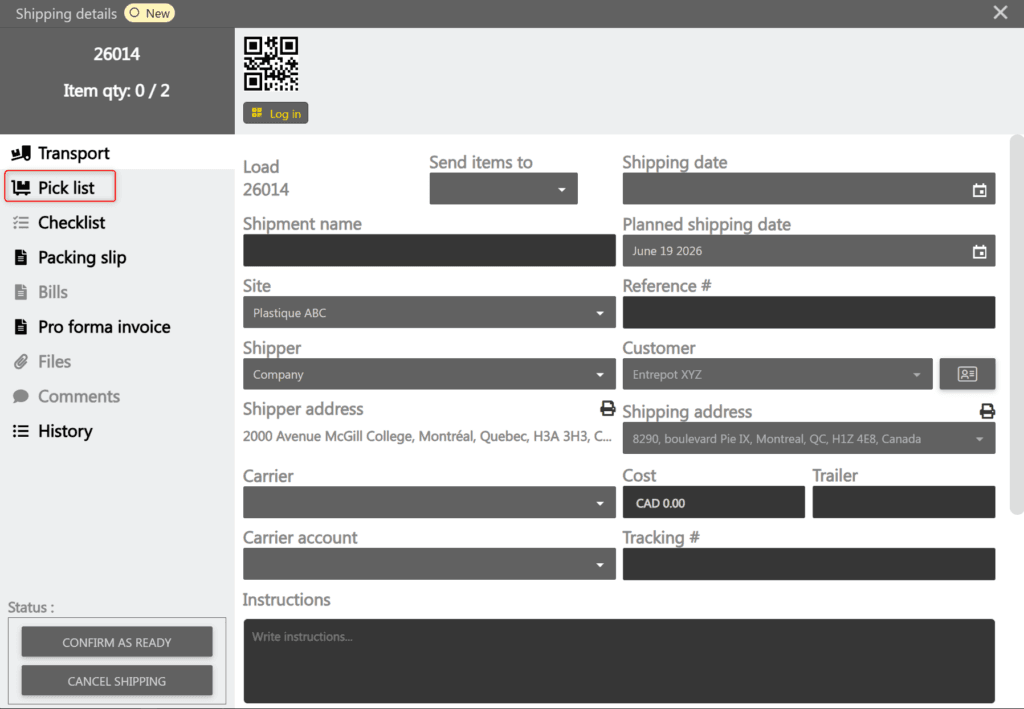
- Scan a first tag with your scan reader. The Scan queue window opens and the first scan appears as the first line.
- Keep scanning the next tags without waiting. Each scan adds a line to the queue and is processed in turn.
Track scan statuses
Each line in the Scan queue shows a Status that changes as it is processed. The Tag column shows the scanned tag.
| Status | Meaning |
|---|---|
| Queued | The scan is recorded and waiting its turn. |
| Processing… | The scan is being sent. |
| Done | The inventory has been picked. The matching source appears as picked in the Pick list tab. |
| Error | The scan could not be processed. See Handle errors. |
Handle errors
When a scan cannot be processed, its line changes to the Error status and shows the reason. Here are common reasons:
| Reason | Cause |
|---|---|
| Tag not found | The scanned tag does not match any inventory or card. |
| The scanned inventory does not match any shipment or sales order line item | The inventory does not match any line to prepare. |
| The inventory-related line items are already filled | The inventory is already fully picked. |
| The inventory customer (or address) differs from the shipment | The scanned inventory belongs to a different customer or address. |
If the error is unexpected, the line shows a Details link. Click the line to open the error detail window.
Close the scan queue
The Scan queue closes automatically when all lines are at the Done status and no scan has occurred for 5 seconds.
You can also close it at any time with the X at the top right.
Note: if unfinished scans remain when closing, a confirmation is requested. Scans still queued will be discarded.