Enable/disable automatic synchronization #
To have an automatic update of the exchange rates every day, it is possible to activate the automatic synchronization.
When this feature is disabled, you must manually enter the exchange rates for each currency.
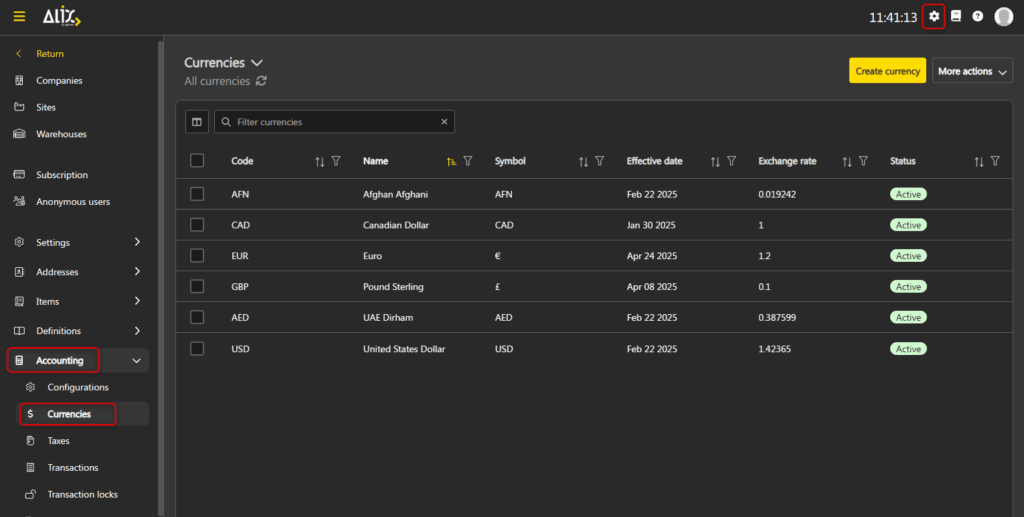
- In Settings, go to the Accounting section, then Currencies.

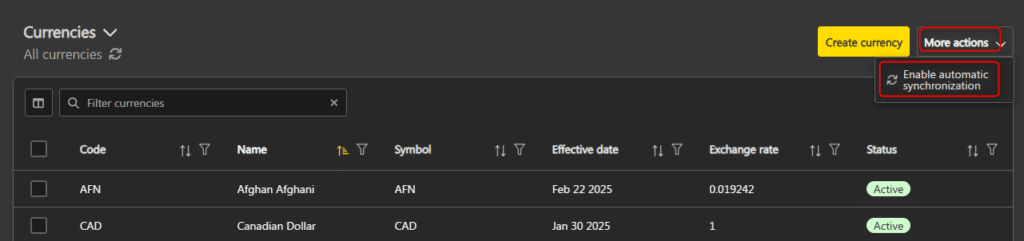
- Click More Actions -> Enable/Disable automatic synchronisation.

Synchronize exchange rates #
It is possible to synchronize exchange rates with the latest rates of the day even when automatic synchronization is disabled.
- In Settings, go to the Accounting section, then Currencies.
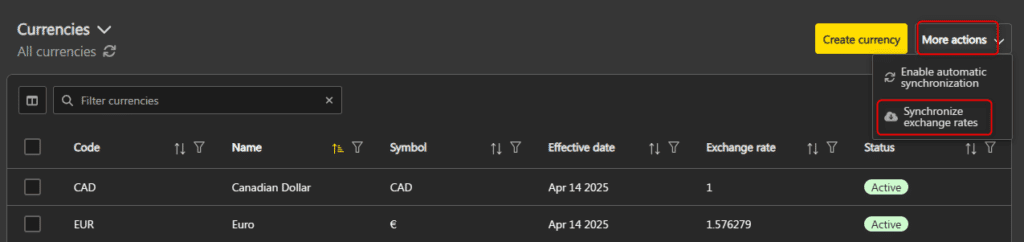
- Click More Actions -> Synchronize exchange rates.

Manually update a currency’s exchange rate #
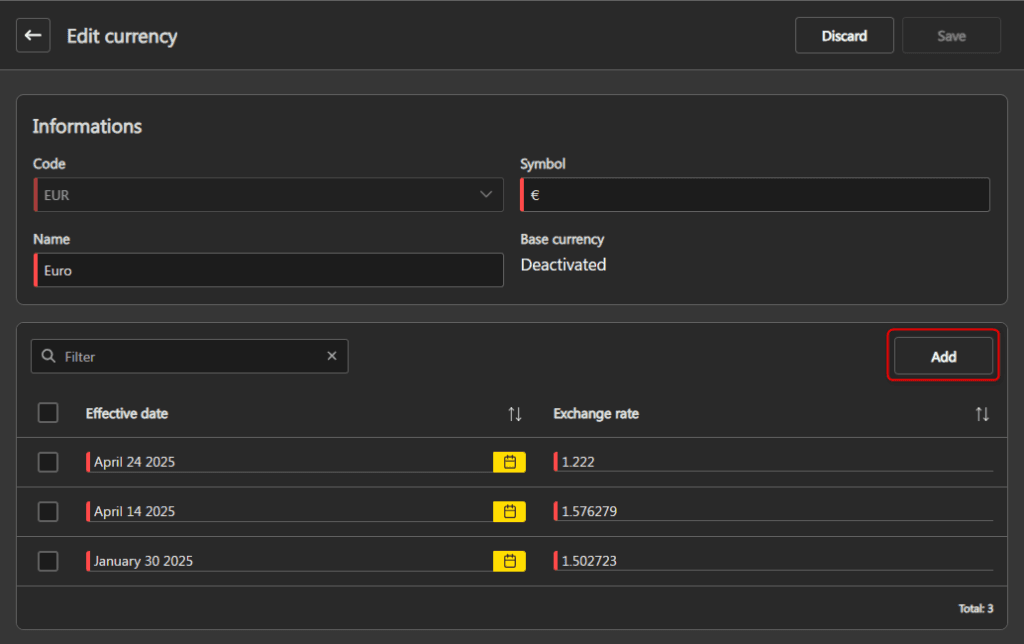
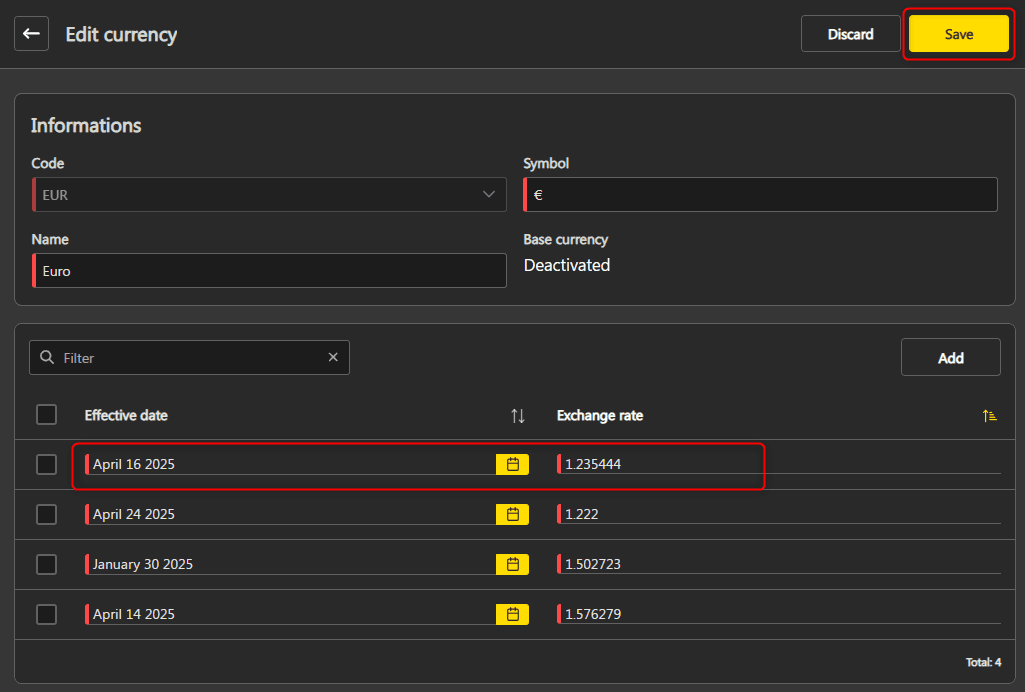
You can add an exchange rate manually on a specific currency.
- In Settings, go to the Accounting section, then Currencies.
- Click the currency you want to change, and then click Edit in the top right.

- Click Add above the list of exchange rates.

- Enter the new exchange rate information, then click Save at the top right of the window.


Create/edit a currency #
- In Settings, go to the Accounting section, then Currencies.
- Click Create currency in the top right.

OR
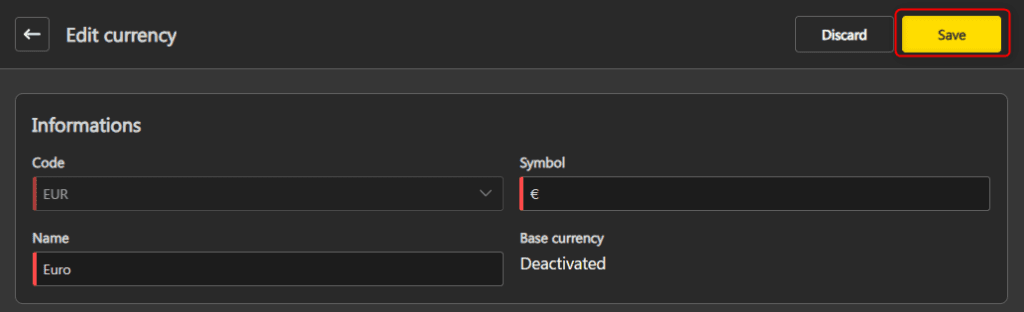
Click the currency you want to change, and then click Edit in the top right.
- Make your changes, then click Save.

Note: When creating a currency, the Symbol and Name fields are automatically filled in by choosing the code, but can be modified.

Activate/deactivate a currency #
When a currency is deactivated, it is no longer possible to use it for new vendors or clients. However, it can still be used by vendors or clients who are already associated with it.
- In Settings, go to the Accounting section, then Currencies.
- Select the desired currency, then click Activate/Deactivate at the top of the list.

OR
Click the desired currency, then click More Actions -> Activate/Deactivate in the top right.


Delete a currency #
- In Settings, go to the Accounting section, then Currencies.
- Select the currency you want, and then click Delete at the top of the list.

OR
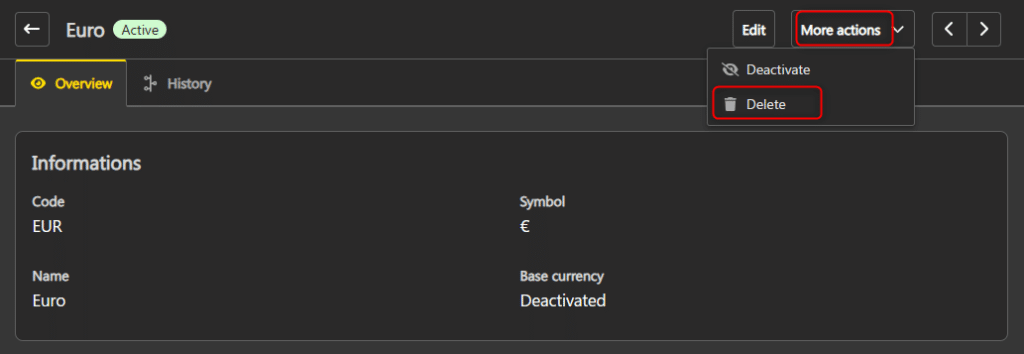
Click the desired currency, then click More Actions -> Delete in the top right.