

The transportation of hazardous materials is regulated. Items must be classified and declared when shipped. The UN number allows this classification and its display in the packing slip.
Create UN number #
- In Settings, go to the Definitions section, then UN numbers.

- Click on the Create UN number button in the top right.

- Enter the requested information, and then click Save.


Add hazardous material information to an item #
Adding a UN number to an item allows information about the item’s dangerousness for transport to be displayed on a shipment’s packing slip.
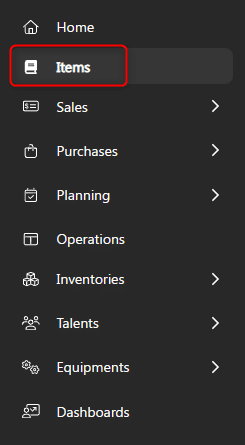
- From the menu on the left, choose Items.

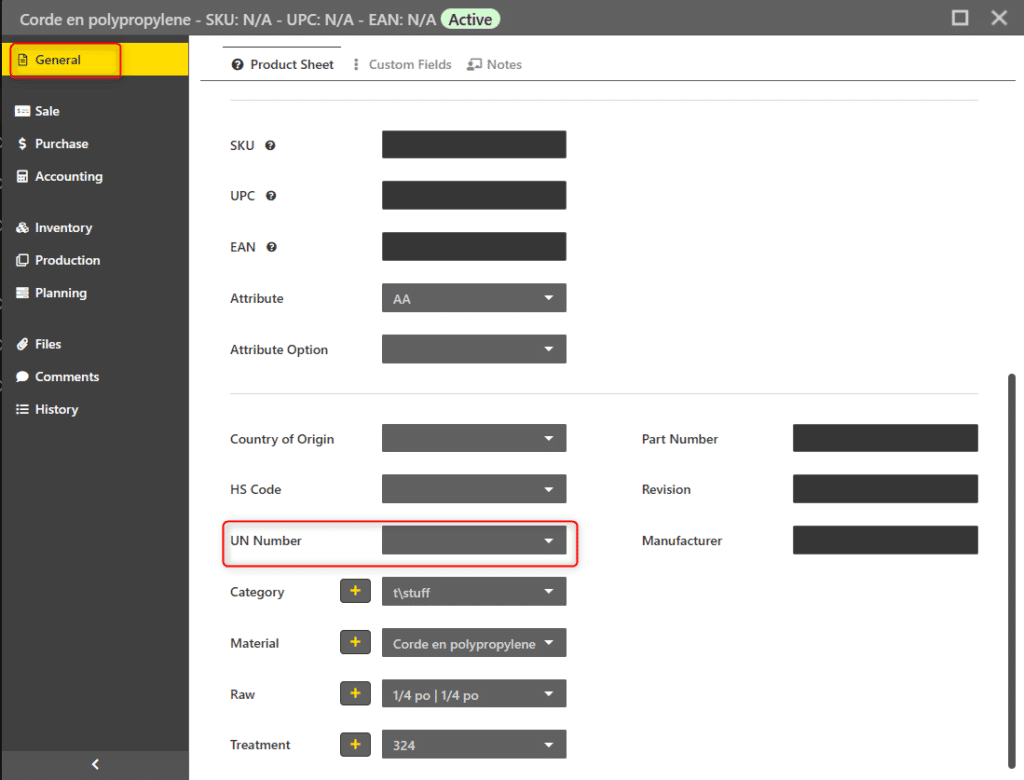
- Click on the desired item. A window with the item information appears.
- On the General tab, select the desired UN number.

- Once done, you can leave the page. The information in this window is saved automatically.
Edit UN number #
- In Settings, go to the Definitions section, then UN numbers.
- Click on the desired UN number.
- Click Edit in the top right.

- Edit the information, and then click Save.

Delete a UN number #
It is possible to delete a UN number even if it is used by an item. After deletion, the UN number field for this item will be blank.
- In Settings, go to the Definitions section, then UN numbers.
- Click on the desired UN number.
- Click More actions in the top right, then click Delete.

