

The price based on weight allows buying an item at a cost defined by weight unit rather than a fixed unit cost. For example, to buy bronze bars at $1.22/kg, the total cost depends on the actual weight of the bars received rather than on the number of bars.
To enable this mode on an item, see the Purchase price computing section of the Purchase tab page.
Insert a price based on weight item in a purchase order #
- From the menu on the left, choose Purchases -> Purchase orders.
- Open the desired purchase order, then click Edit in the top right.
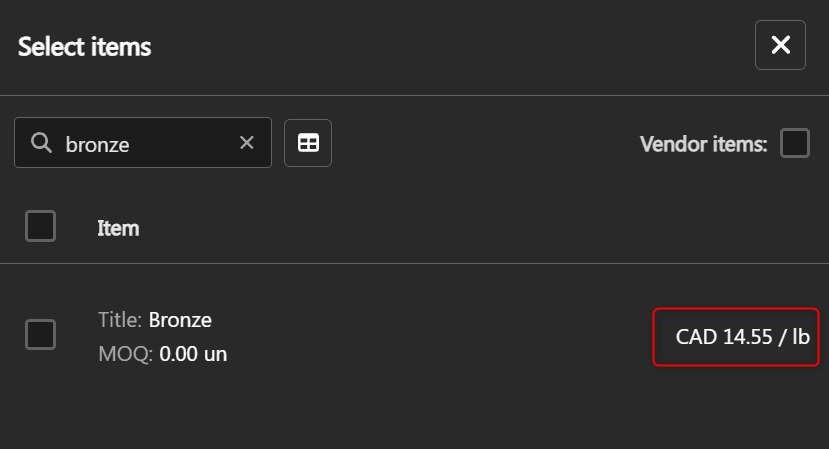
- Add an item. In the selection list, the cost of price based on weight items is displayed with the suffix / <weight unit>.

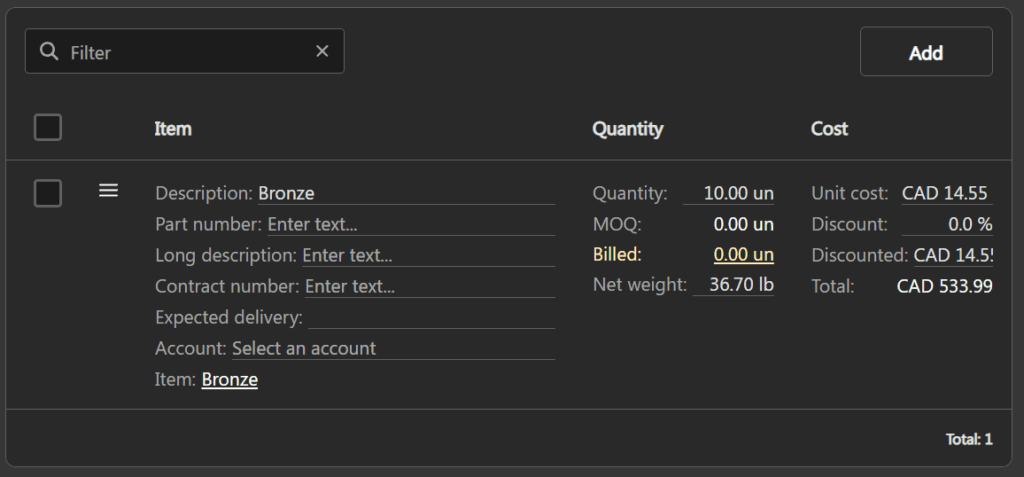
The created line inherits the Price based on weight mode, the Unit weight and the Weight unit defined on the item.
Edit the line values #
On a price based on weight line, the fields behave as follows:
| Quantity | Enter the ordered quantity. The Net weight and the Total are recalculated automatically. |
| Unit cost | Expressed in $ / <weight unit>. Editing it recalculates the Total. |
| Net weight | Read-only as long as the Quantity is 0. Once a quantity is entered, editing the Net weight updates the stored Unit weight for the line and recalculates the Total. |
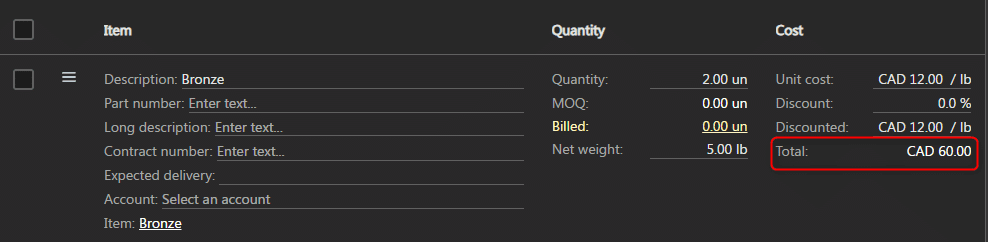
The total of a line is calculated using the formula:
Total = Unit cost × (1 − Discount) × Quantity × Unit weight
Display on the purchase order PDF #
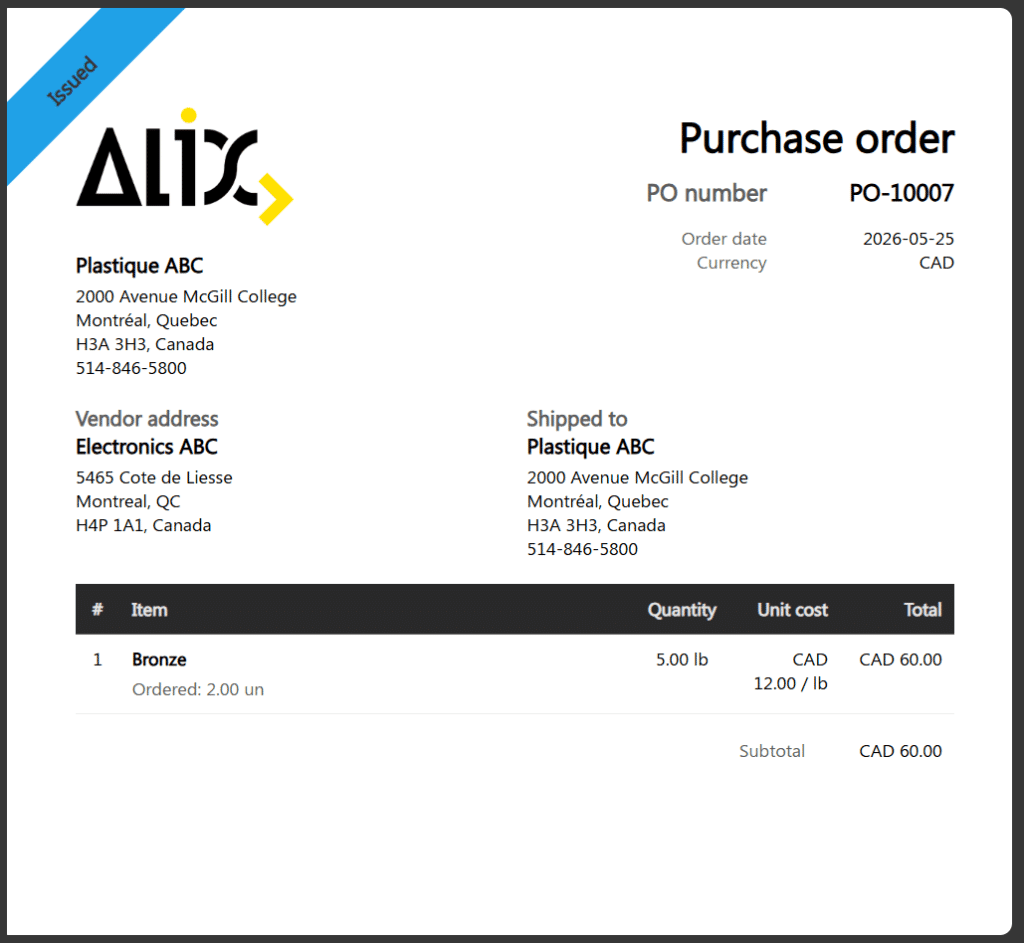
On the purchase order PDF, a price based on weight line is displayed as follows:
- The line description is prefixed with Ordered: X <unit>.
- The Quantity column displays the net weight in <weight unit>.
- The Unit cost column is expressed in $ / <weight unit>.
Combine with a purchase custom unit #
A line can be both at price based on weight and use a purchase custom unit. In this case:
- The Quantity uses the custom unit and its conversion factor.
- The Unit cost remains expressed in $ / <weight unit>.
- The Total reflects the formula: Cost × Quantity (in custom unit) × Unit weight.
To apply a custom unit on a line, see the Apply a custom unit on a purchase order line page.
Propagation to other documents #
Price based on weight lines propagate automatically to documents created from the purchase order:
| Bill | The created bill inherits the lines with their Unit cost in $ / <weight unit> and their Net weight. See the Bills page. |
| Inventory | The inventory created on purchase order issue (To receive status) displays the unit purchase cost converted in $ / stock unit (discounted cost × unit weight). See the Inventories page. |
| Purchase order creation from planning | The purchase order creation window from planning displays the costs in $ / <weight unit> and creates weight-based price lines. |
| Zoho Books synchronization | On push to Zoho Books, the Quantity sent is the net weight, the Rate is in <currency> / <weight unit>, and the line description is prefixed with the ordered quantity. See the Zoho Books configurations page. |